My Summer Project: Teaching an AI Agent to Iterate on Garmin Watch Faces
My Summer Project: Teaching an AI Agent to Iterate on Garmin Watch Faces
This summer I ended up with exactly the kind of side project I like: small enough to be playful, technical enough to be annoying, and visual enough that pure coding automation is not enough.
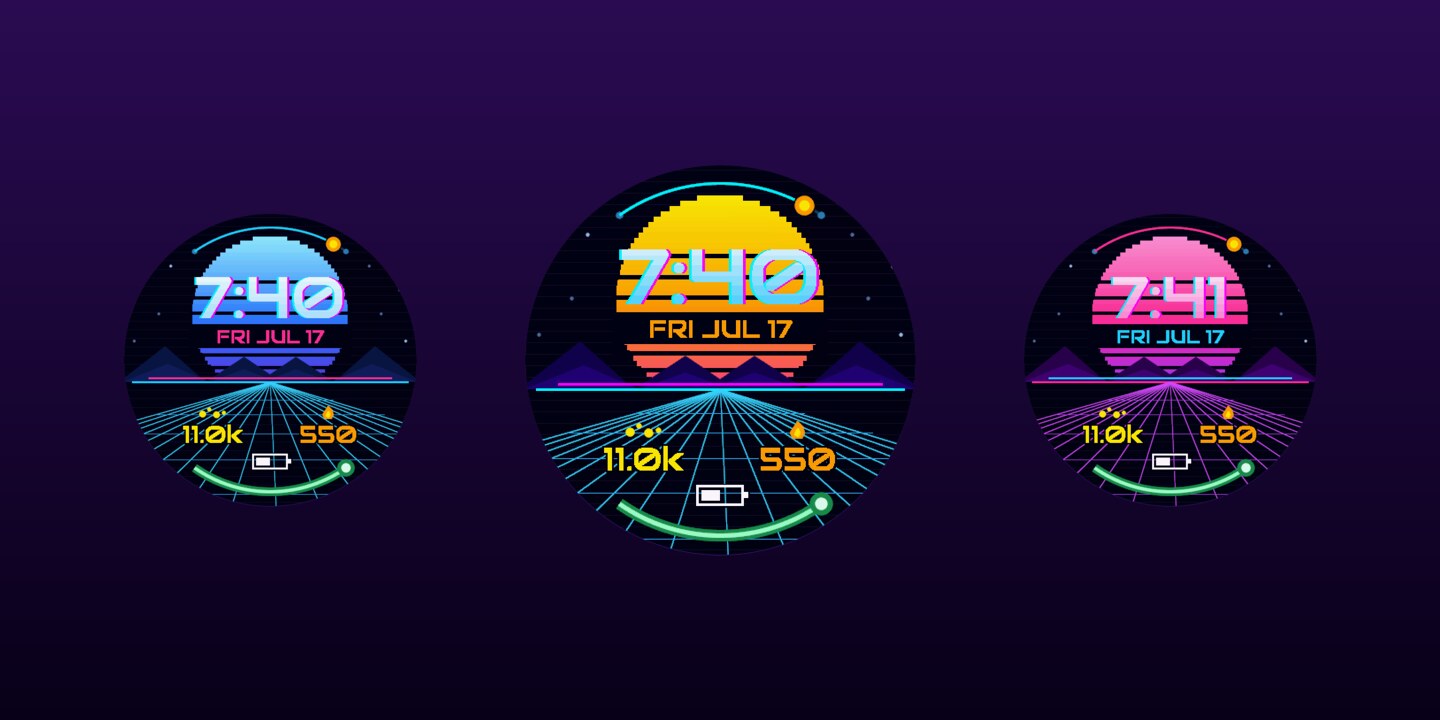
I started building Garmin Connect IQ watch faces. Retro sunsets, black holes, astronaut visors, pixel-art RPG screens. Tiny products for tiny round screens.
But the watch faces themselves became only half the project. The other half was the workflow around them: could I get an AI agent to work on something visual, not just textual? Could it edit Monkey C code, build the face, load it into Garmin's simulator, screenshot what it made, inspect the result, and iterate with relatively little human feedback?
That turned out to be the fun part.
The loop
Most coding agents are comfortable when the world is text. They read files, edit files, run tests, parse stack traces, and summarize diffs. That is already useful, but it leaves out a huge class of software where the real question is not “does it compile?” but “does it look right?”
A Garmin watch face is perfect for this because it sits in the middle. It is not a giant desktop application. The codebase is small enough for an agent to understand. But it is still visual, stateful, device-specific, and constrained by the real quirks of Garmin's SDK and simulator.
The basic loop became:
edit source
build watch face
load simulator
capture screenshot
inspect image
adjust layout
repeat
Or, in the terminal:
make build DEVICE=fenix7
make run-once DEVICE=fenix7
make screenshot
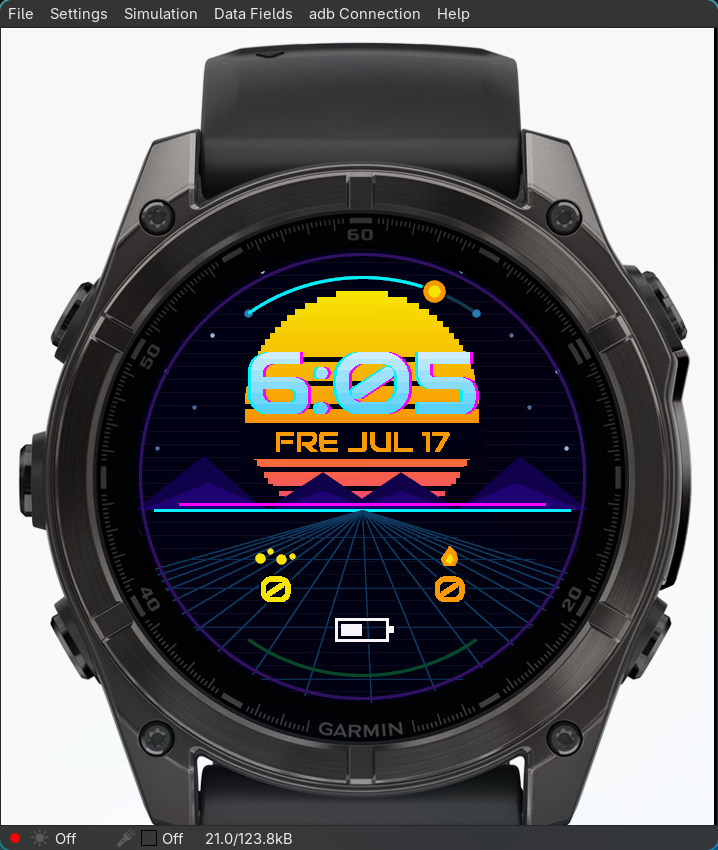
The agent can run that loop over and over. It can change the position of a field, rebuild, capture a screenshot, crop the face region, inspect whether the change helped, and then try another adjustment.
That feels very different from asking an LLM to “improve the design” in one shot. The important bit is not that the agent magically knows good taste. It is that the agent can do the boring iteration work around a feedback signal.
A small project is a good autonomy test
I think small visual projects are underrated as agent benchmarks.
A watch face has enough complexity to be real: manifests, resources, generated bitmap fonts, device profiles, simulator state, build artifacts, permissions, store screenshots, MIP versus AMOLED constraints, and low-power always-on modes. But it is not so large that the agent drowns.
That made it a nice summer project. I could keep the product scope playful while testing a serious workflow question: what happens when an agent can see what it is building?
The answer is: it gets much more useful, but not fully autonomous.
A compiler can tell the agent when Monkey C is wrong. It cannot tell the agent that the date looks glued to the clock, that an icon reads as a random blob, or that the bottom row is too close to the bezel. The screenshot fills that gap. It lets the agent reason about visual output, not just logs.
The human feedback can stay relatively sparse:
- “This is too cluttered.”
- “Make the time more dominant.”
- “The lower third feels cramped.”
- “This looks less premium than the previous version.”
The agent translates that into mechanical experiments: move rows, reduce fields, add halo text, darken a background region, regenerate a smaller bitmap font, or crop the screenshot and inspect the alignment more closely.
The human supplies taste. The agent supplies patience.
Hyprland as the agent's desktop
The desktop automation layer became more interesting than I expected.
I run this on Linux with Hyprland, so the agent can interact with the same desktop surface I use. The Garmin simulator is a GUI application, but the surrounding workflow is terminal-first. That means the agent can use shell commands, hyprctl, screenshots, process control, and predictable file paths to operate around the simulator without needing a full bespoke GUI integration.
In practice, screenshots are the key bridge. The script uses the compositor and screenshot tooling to capture the simulator window or region. The agent then reads the resulting PNG as evidence.
That sounds simple. It is not always simple.
Wayland screenshots capture what is actually visible. If the simulator is on the wrong workspace, the agent captures the wrong thing. If an overlay covers the window, the screenshot is contaminated. If the session locks, visual automation is dead until a human unlocks it. If multiple screenshot captures run at once, the screencopy path can get wedged. Sometimes the fix is embarrassingly low-tech: focus the simulator, restart the surface, and try again.
This is where agentic GUI work becomes less like science fiction and more like lab operations.
focus simulator
run build
load app
wait
capture screenshot
verify it is the right image
only then reason about it
The model's intelligence matters, but the environment's observability matters just as much.
The simulator also lies by omission
One of the funniest traps was stale state.
The Garmin simulator keeps app settings around in .SET files. If the agent changes a default in resources/properties.xml and rebuilds, the simulator may still use the old persisted setting. The source changed. The build succeeded. The app reloaded. But the visual behavior did not change.
A generic coding agent will often chase the wrong problem here. It assumes its edit did not work. In reality, the simulator is overriding the compiled default with cached state.
The fix is procedural: stop the simulator, wait for it to fully exit, delete the settings file, and relaunch. Delete it too early and the simulator may write the old value back from memory.
Another trap: the simulator clock keeps ticking even when the newest app build did not actually load. So a changing time is not evidence that the latest code is running. The workflow now includes sanity checks like making a visible temporary change or killing dangling simulator shell processes when reloads get suspicious.
These are not glamorous AI problems. They are the sort of messy details that decide whether an agent loop converges or hallucinates progress.
Visual agents need eyes, but screenshots are imperfect eyes
The core lesson from the project is that visual agents need visual feedback. Logs are not enough.
For watch faces, screenshots help answer questions like:
- Is the time readable at a glance?
- Are the fields inside the round screen's usable width?
- Does the halo create enough contrast over the background?
- Does the MIP version speckle or stay clean?
- Are the icons visually distinct when shrunk?
- Does the always-on mode avoid bright static fills?
But screenshots are observational, not truth. The agent still has to verify that the screenshot is fresh, correctly cropped, and actually showing the target device. If the screenshot is stale, every subsequent decision is garbage.
That has made me more convinced that the next generation of agent tooling needs better visual primitives:
- headless simulator screenshots with exact device output
- programmatic GUI state reset
- screenshot histories across iterations
- cheap human annotations on what looks wrong
- layout and contrast checks that understand UI structure
- project-specific skills that preserve hard-won simulator gotchas
Until then, the best approach is a hybrid: automate the loop, keep the artifacts visible, and let the human make the final judgment.
Artwork is part of the build pipeline
The store artwork ended up becoming part of the workflow too.
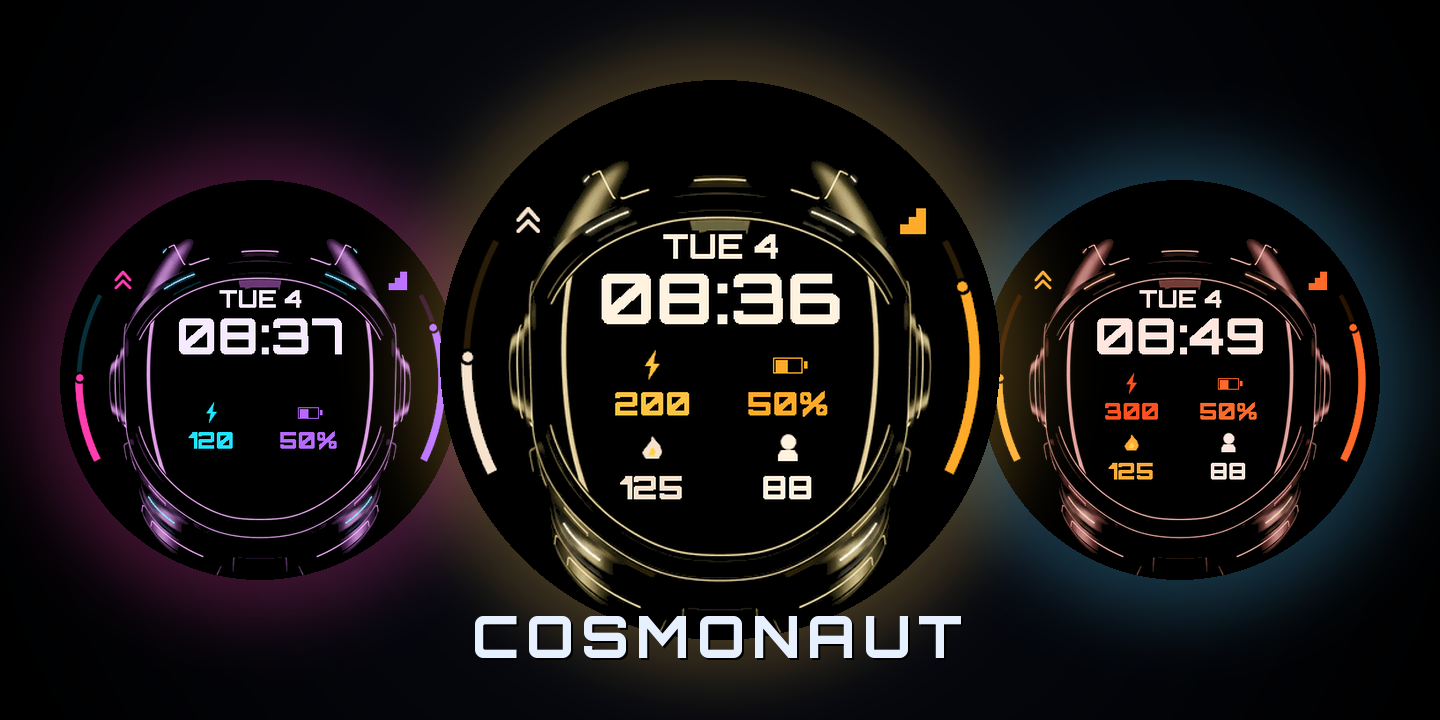
For faces like Event Horizon and Cosmonaut, the process is roughly:
- Generate or design the master scene.
- Downsample per resolution.
- Apply MIP-safe quantization where needed.
- Build and inspect on representative devices.
- Capture exact face screenshots for the store.
- Compose hero and cover assets with scripts.
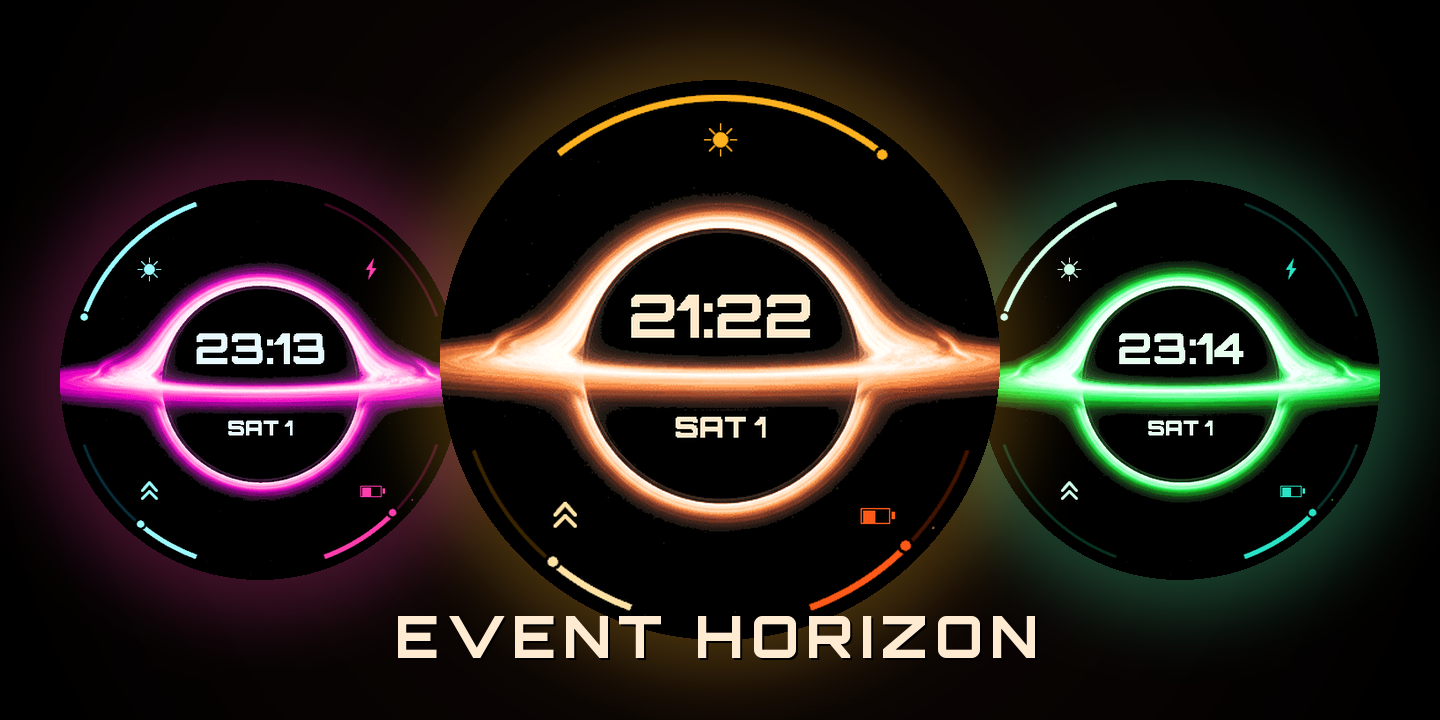
The annoying detail is that Garmin's simulator has a GUI menu item for exact device screenshots: File → Save Screenshot. Those are the images you actually want for the Connect IQ Store because they are the watch face itself, not a crop of the simulator frame.
There does not appear to be a reliable CLI equivalent.
So the agent can do most of the development loop, but publishing still has a manual seam. I manually capture the clean store screenshots, then use deterministic scripts to generate hero and cover images. It is not fully autonomous, but it is reliable enough and keeps the most repetitive parts automated.
Why this felt promising
The project made agentic development feel more concrete to me.
Not in the “the agent replaces the developer” sense. More in the “the agent becomes a tireless junior collaborator with access to the same workshop” sense.
It can run the simulator. It can inspect screenshots. It can make layout changes. It can remember that MIP displays need palette-aware assets. It can avoid rerunning the same failed screenshot capture pattern if the lesson is written into a project skill. It can turn vague feedback into a series of small experiments.
And because everything is file-based, the knowledge compounds. The Garmin workflow lives as a local skill. The project notes live in Obsidian. The build scripts live beside the code. Store-art scripts and screenshots become artifacts. The next face starts with more context than the previous one.
My scoptimist take
This is the version of agentic software development I currently believe in.
Not a fully autonomous system silently shipping polished products while I sleep. Not a chatbot that gives generic design advice. A grounded loop: source files, shell commands, simulator state, screenshots, human taste, and repeated iteration.
The Garmin watch-face project was small, but that is why it worked as an experiment. It had enough real-world mess to expose the hard parts of visual automation, and enough boundaries that an agent could actually help.
The future of agents is not just bigger context windows or smarter chat. It is tighter feedback loops with the world they are acting on.
For this little summer project, that world happened to be a tiny round screen on my wrist.